⬤ 01. Objectives and Key Results
Optimized Scheduling Experience
Interface: Develop an intuitive and user-friendly interface, simplifying the process of scheduling appointments.
Visual Minimalism: Create a design aesthetic that reflects the efficiency and modernity of the scheduling tool.
User Focus: Highlight key features, benefits, and functionalities, ensuring users can easily understand and utilize the tool.
Mobile Responsiveness: Ensure seamless functionality and a visually appealing experience across various devices.
Scheduling Management: Develop a comprehensive web app for scheduling management, enabling users to efficiently organize and track appointments.
Scheduling Widget: Create an embeddable scheduling widget for easy booking, enhancing user convenience and accessibility.
⬤ 02. read and apply
Web design workflow
Minimalist UI/UX:
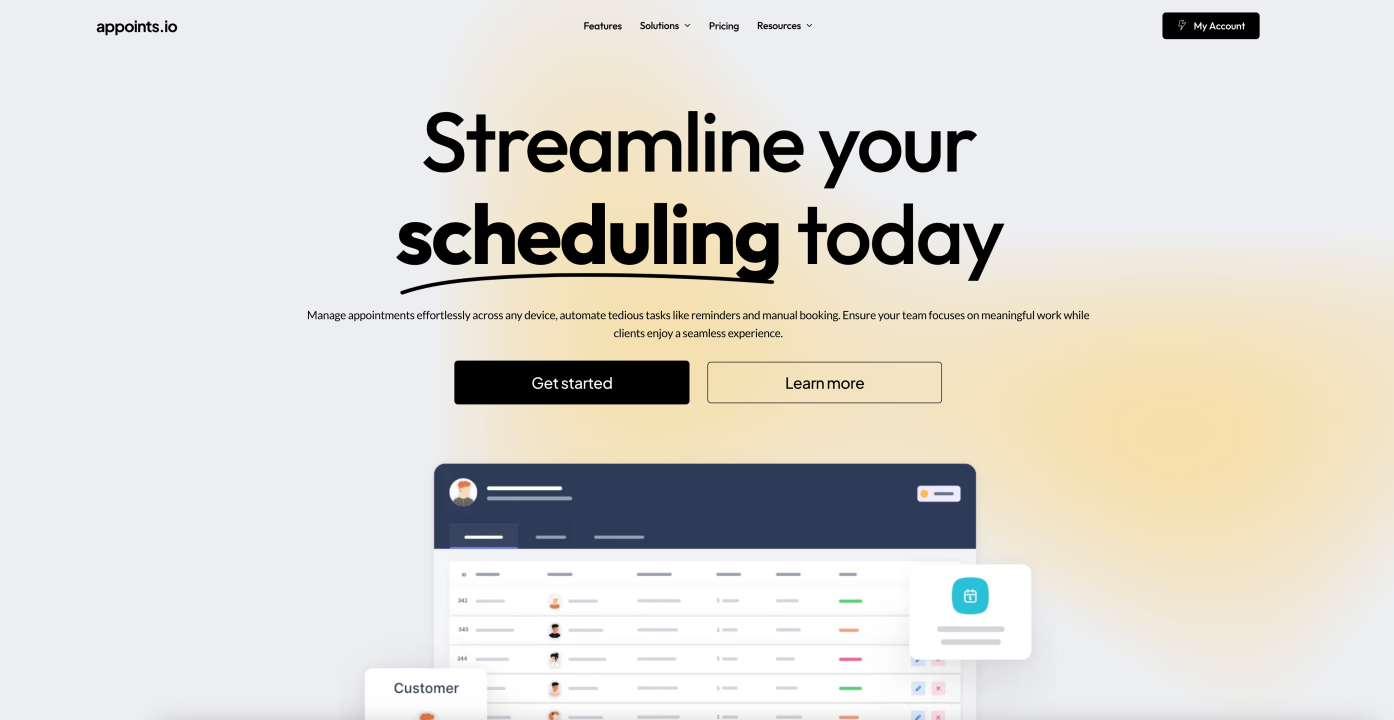
The design prioritized minimalism, employing clean lines, ample white space, and high-resolution imagery to evoke a sense of efficiency and professionalism. The interface focused on simplicity, allowing users to schedule appointments effortlessly without distractions.
Streamlined Feature Presentation:
Pages were crafted to showcase Appoints’ scheduling capabilities with clear visuals, concise descriptions, and intuitive navigation. Emphasis was placed on providing a seamless user experience with clear calls-to-action for easy setup and use of the scheduling tool.
Comprehensive Scheduling Management:
The web app was designed to offer robust scheduling management features, including appointment tracking, notifications, and calendar integration. This ensured users could handle all scheduling tasks in one centralized platform.
Embeddable Scheduling Widget:
The scheduling widget was developed to be easily embedded into various websites, providing users with a straightforward and accessible booking option. The widget maintained the minimalist design, ensuring it seamlessly integrated with different site aesthetics.
Type System & Scales
Typeface
Outfit
Usage
Headlines, Display
Aa
Typeface
Lato
Usage
Labels, Subheadlines
Identify key functionalities, user flows, and technical specifications. Implement the UI/UX design into functional components and screens.
Typeface
Lato
Usage
Paragraphs
AaBbCcDdEeFfGgHhIiJjKkLlMmNnOoPpQqRrSsTtUuVvWwXxYyZz
0123456789
Say hello
Request a free quote
Ready to optimize your scheduling experience? Let’s discuss how we can create an intuitive and efficient appointment management solution tailored to your needs.
Get in touch
Email us
General inquiries:
info@framer.ee